
Explore
Mouselook Mode
While visiting an experience in Desktop mode, you can press F7 to toggle Mouselook mode. With the following effects:
- The Menu UI disappears
- F7 has a target reticle pop up an the camera follows mouse movement.
- You can steer the camera and your avatar by moving the mouse without having to hold right click.
- Your avatar only turns when moving, so you won’t turn in place while looking around, But if holding a object your arm will follow the cameras movement.
Mouselook mode facilitates a more immersive movement and aiming with certain tools and weapons your avatar has picked up while in Desktop mode (VR users can easily aim using their VR controllers).
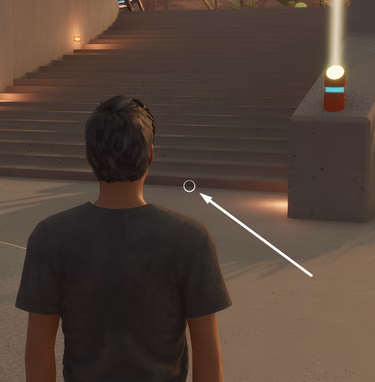
Mouselook Mode reticle in 3rd person
Have more questions? Email help@sansar.com.
␂ world ␃