
Avatars
Exporting Custom Avatars From Blender
When exporting custom avatars from Blender.
Exporting custom avatars from Blender
Section titled “Exporting custom avatars from Blender”When exporting custom avatars from Blender, you must use the following (non-default) settings.
Main tab
Section titled “Main tab”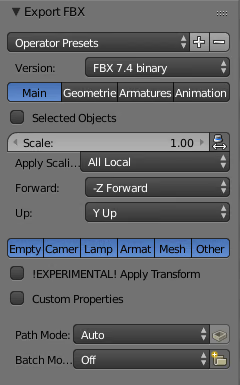 | Non-default settings:
|
|---|---|
| Main tab |
Geometries tab
Section titled “Geometries tab”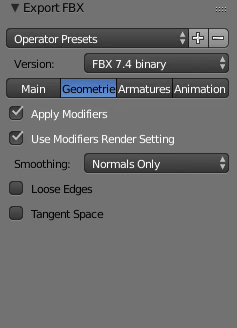 | Non-default settings:
|
|---|---|
| Geometries tab |
Armatures tab
Section titled “Armatures tab”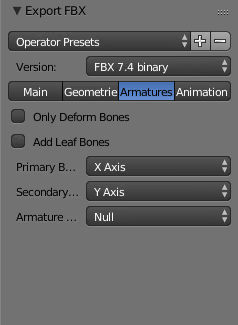 | Non-default settings:
|
|---|---|
| Armatures tab |
Animation tab
Section titled “Animation tab”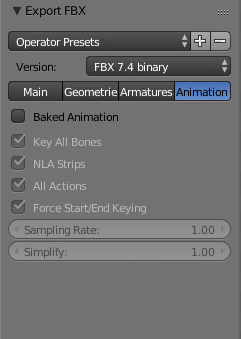 | Non-default settings:
|
|---|---|
| Animation tab |
Have more questions? Email help@sansar.com.
␂ upload ␃