> For the complete documentation index, see [llms.txt](https://docs.sansar.com/latest/llms.txt). Markdown versions of documentation pages are available by appending `.md` to page URLs; this page is available as [Markdown](https://docs.sansar.com/latest/support/general-troubleshooting/sansar-log.md).
# The Sansar Log
The client keeps a local running log of what you mouse over and click plus a few other basic details to help aid in figuring out what caused a crash or problem, these logs can be really helpful when needing help from support staff,
No personal information is retained within the logs other than some hardware information, worlds visited during that session and your public username. most of what can be found is chatter between the client and sansar services.
## locating the log files
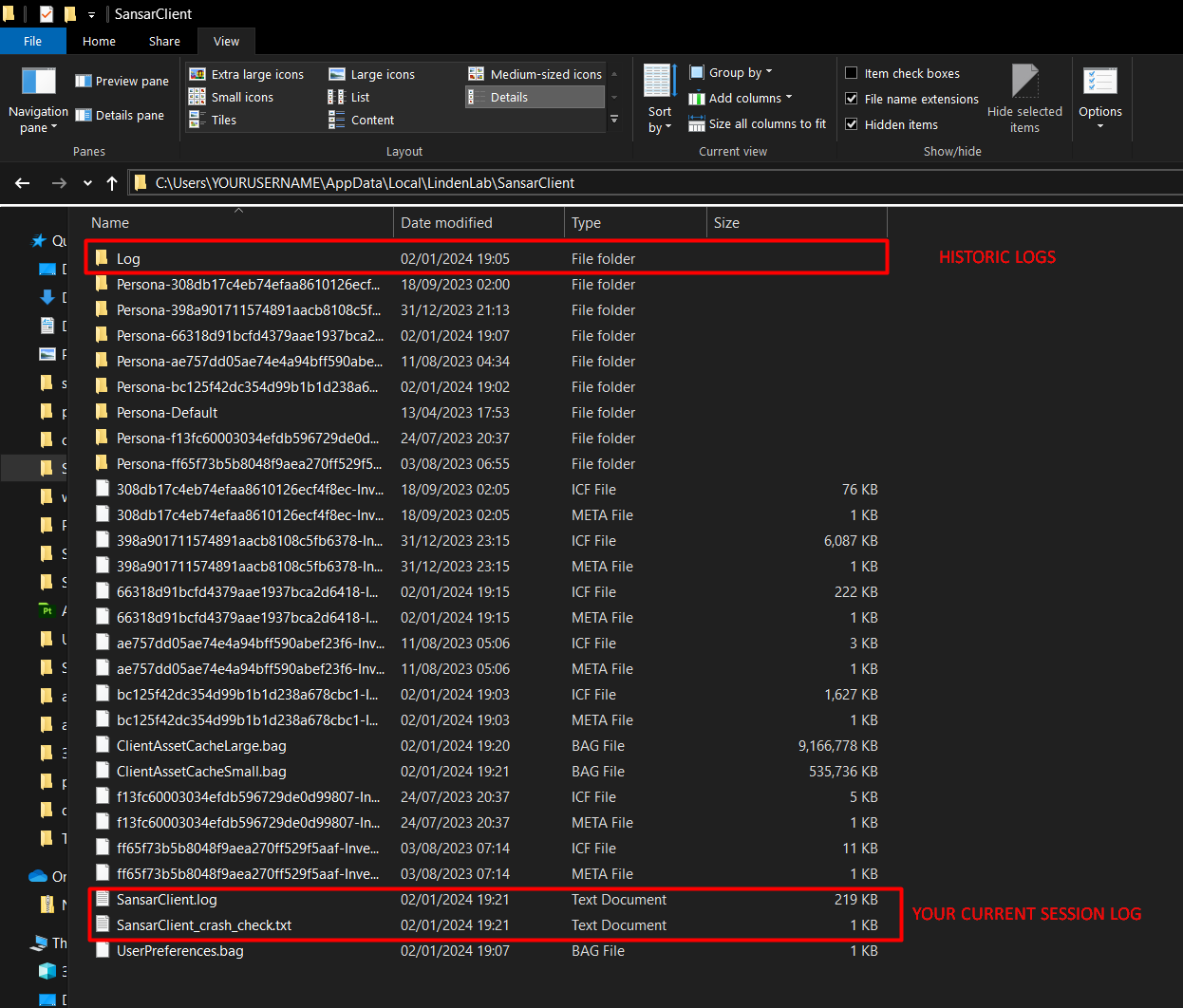
By default the Client log files are located in C:\Users\YOURUSERNAME\AppData\Local\LindenLab\SansarClient\log
or by pasteing %localappdata%\LindenLab\SansarClient\log into your file browser.
The current sessions logs are held in the parent folder C:\Users\YOURUSERNAME\AppData\Local\LindenLab\SansarClient and are added to the Historic 'log' folder once your client has shutdown.
Log files locations
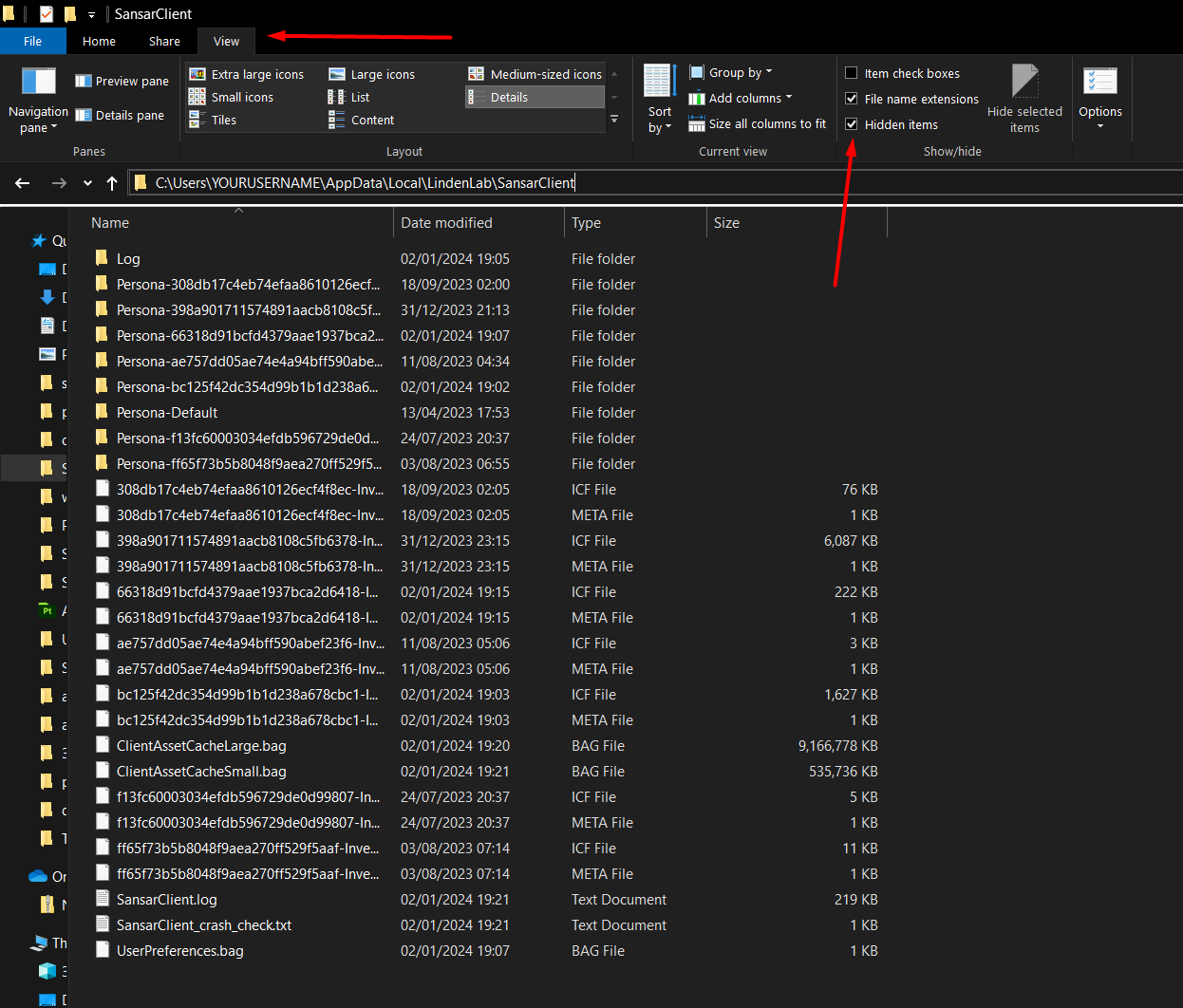
**NOTE: you may need to show hidden folders to find these**
Show hidden folders
## Import assets logs
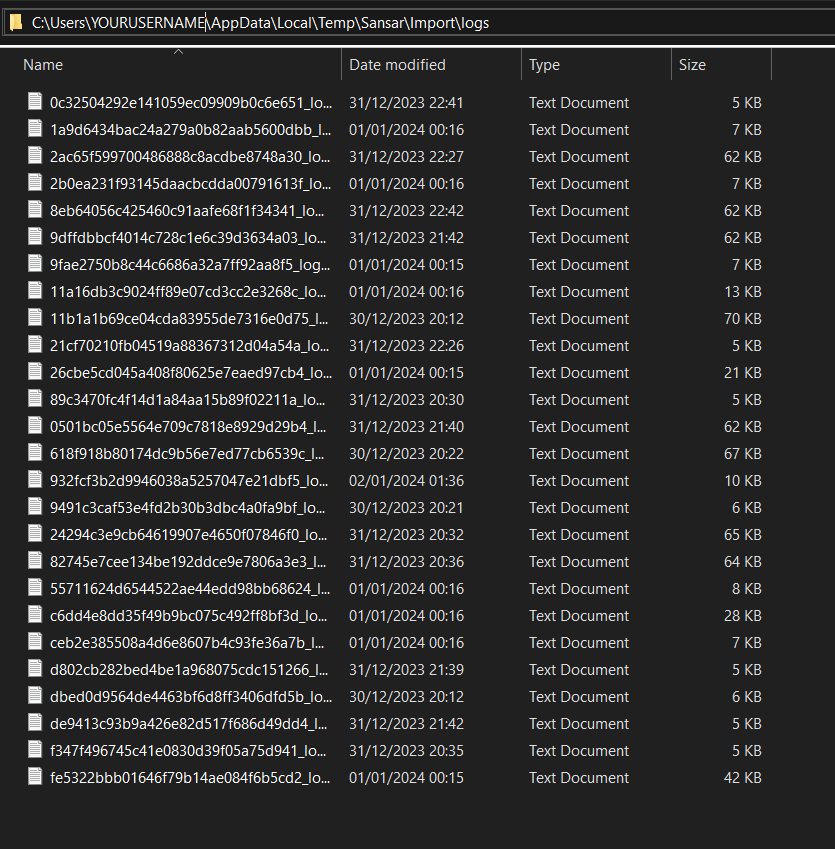
The importer saves error logs to a different filepath and will give you the location on the import logs tab but can be found in
C:\Users\YOURUSERNAME\AppData\Local\Temp\Sansar\Import\logs
or by pasteing %localappdata%\Temp\Sansar\import\logs into your file browser.
Show hidden folders
## Providing log files
If asked please make a copy of your latest log files when the error occurred from the historic log folder and if the client has remained open and not crashed, your current sessions logs from the parent folder noting what ones you are providing.
There are a few types of log files you are looking for including any crash files. try to find the closest files to the time of the error you can, to best help support.