> For the complete documentation index, see [llms.txt](https://docs.sansar.com/latest/llms.txt). Markdown versions of documentation pages are available by appending `.md` to page URLs; this page is available as [Markdown](https://docs.sansar.com/latest/exploring-in-sansar/attending-events/attending-event-in-sansar.md).
# Attending Events in Sansar
## Finding and visiting events using the Codex
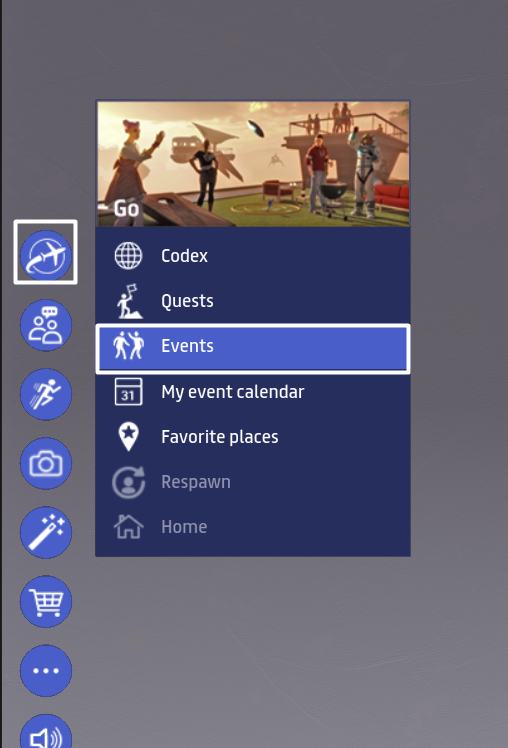
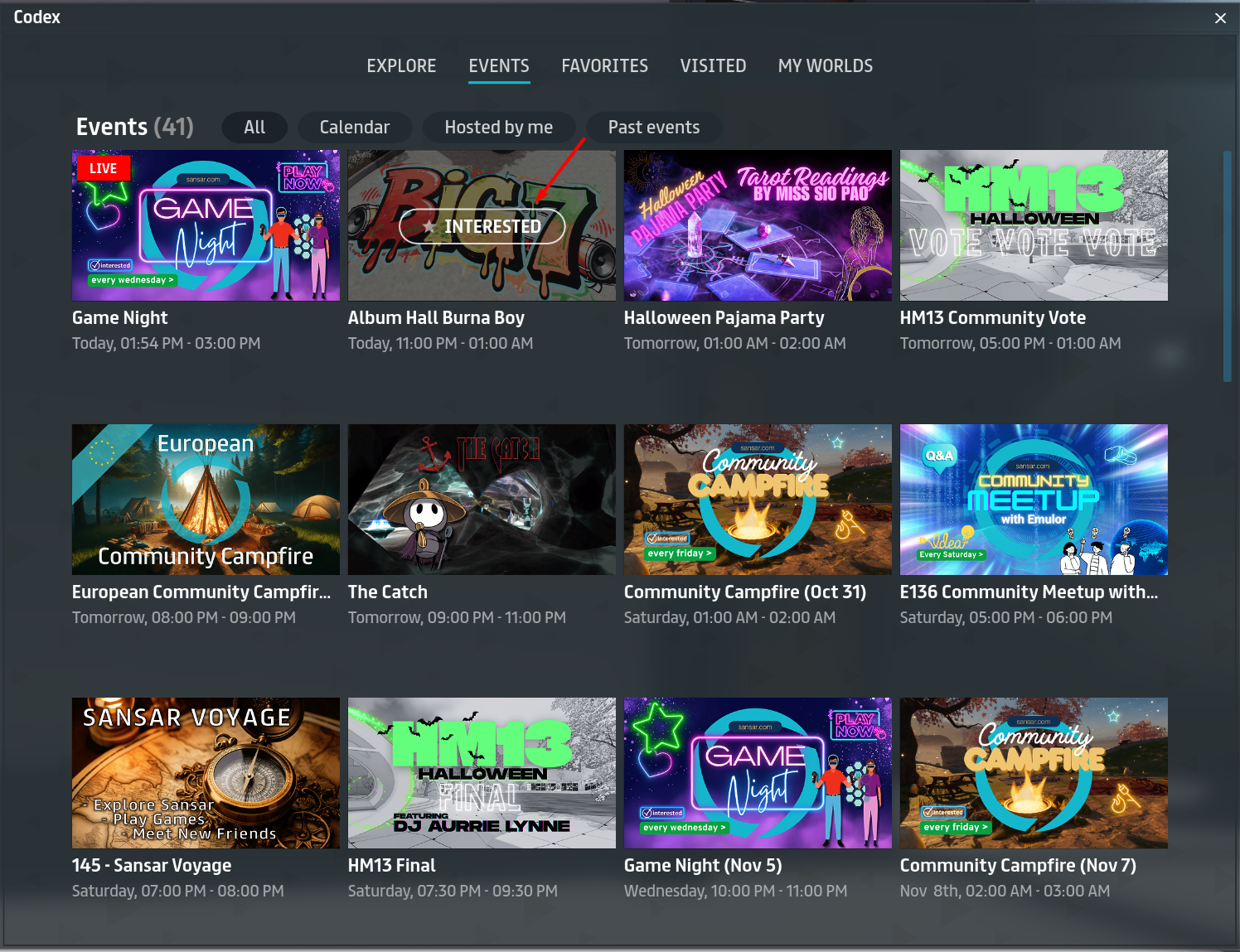
You can use the Events section of the Codex to browse all upcoming events in Sansar. To open the Codex, choose **Go > Events** from the main menu.
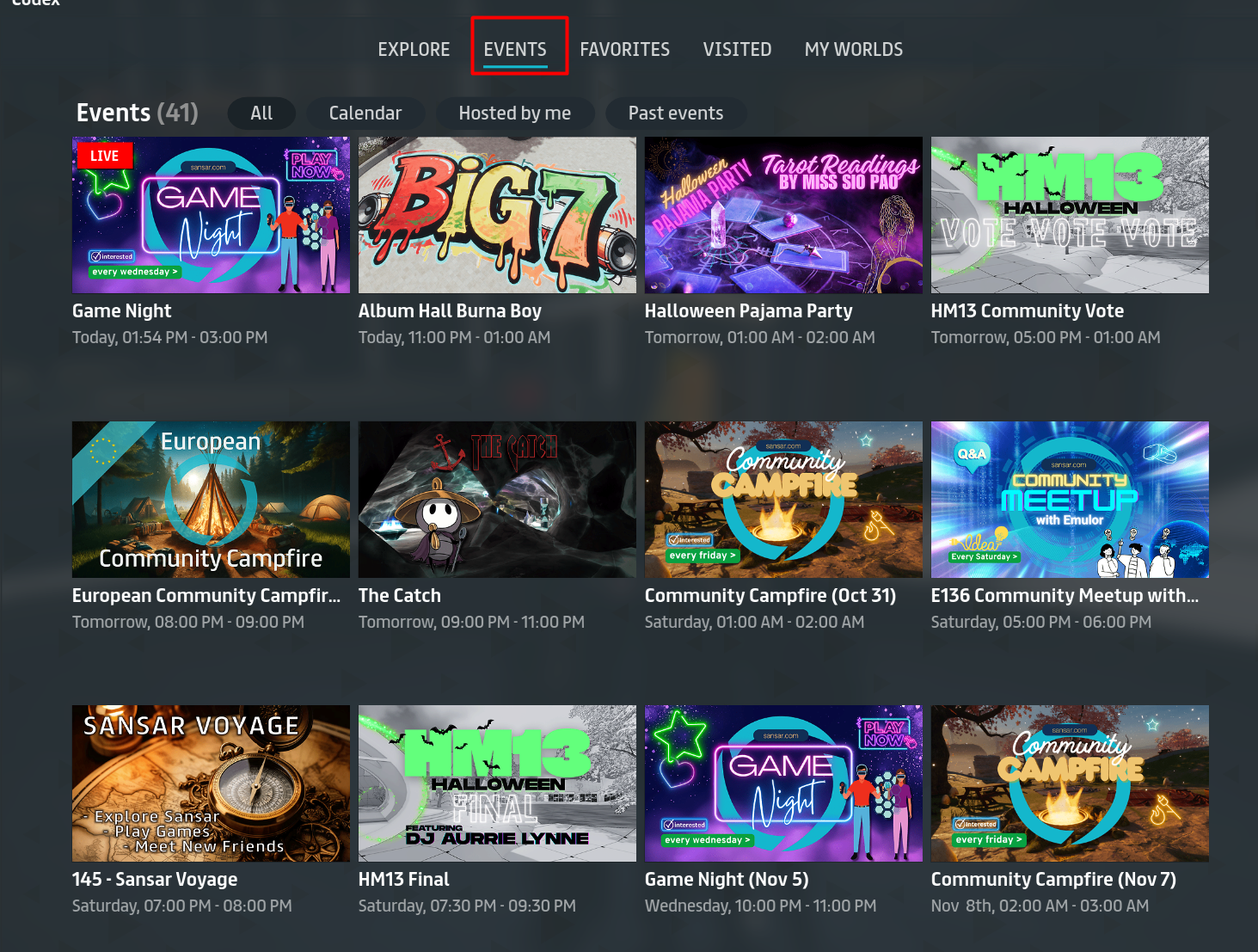
Or by selecting the events tab at the top of the codex.
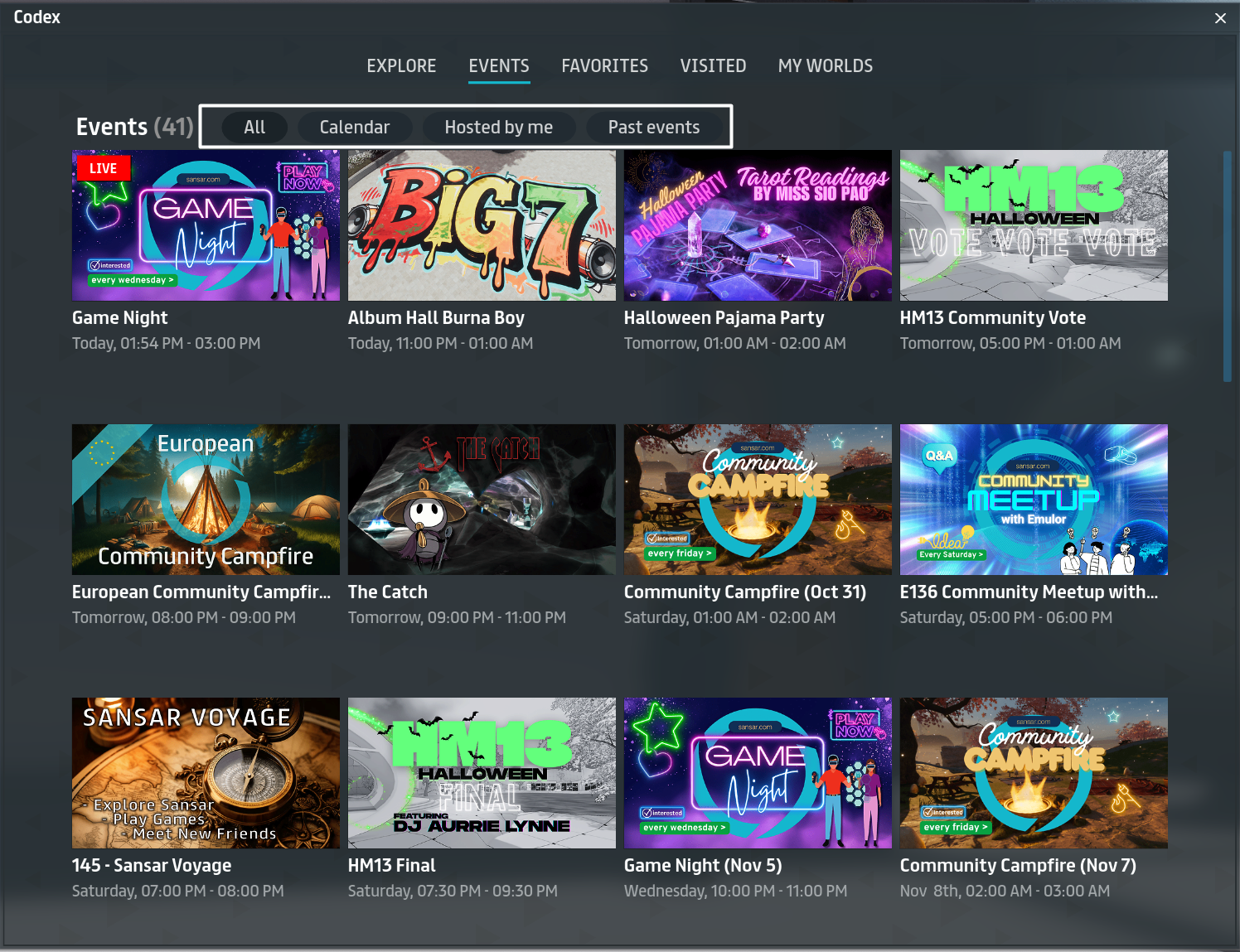
The Events section of the Codex has four tabs:
* **All events** - All upcoming events in Sansar.
* **Calendar** - Upcoming events specifically saved by you.
* **Hosted by me -** Upcoming events hosted by you.
* **Past events** - Previous events hosted by you and others.
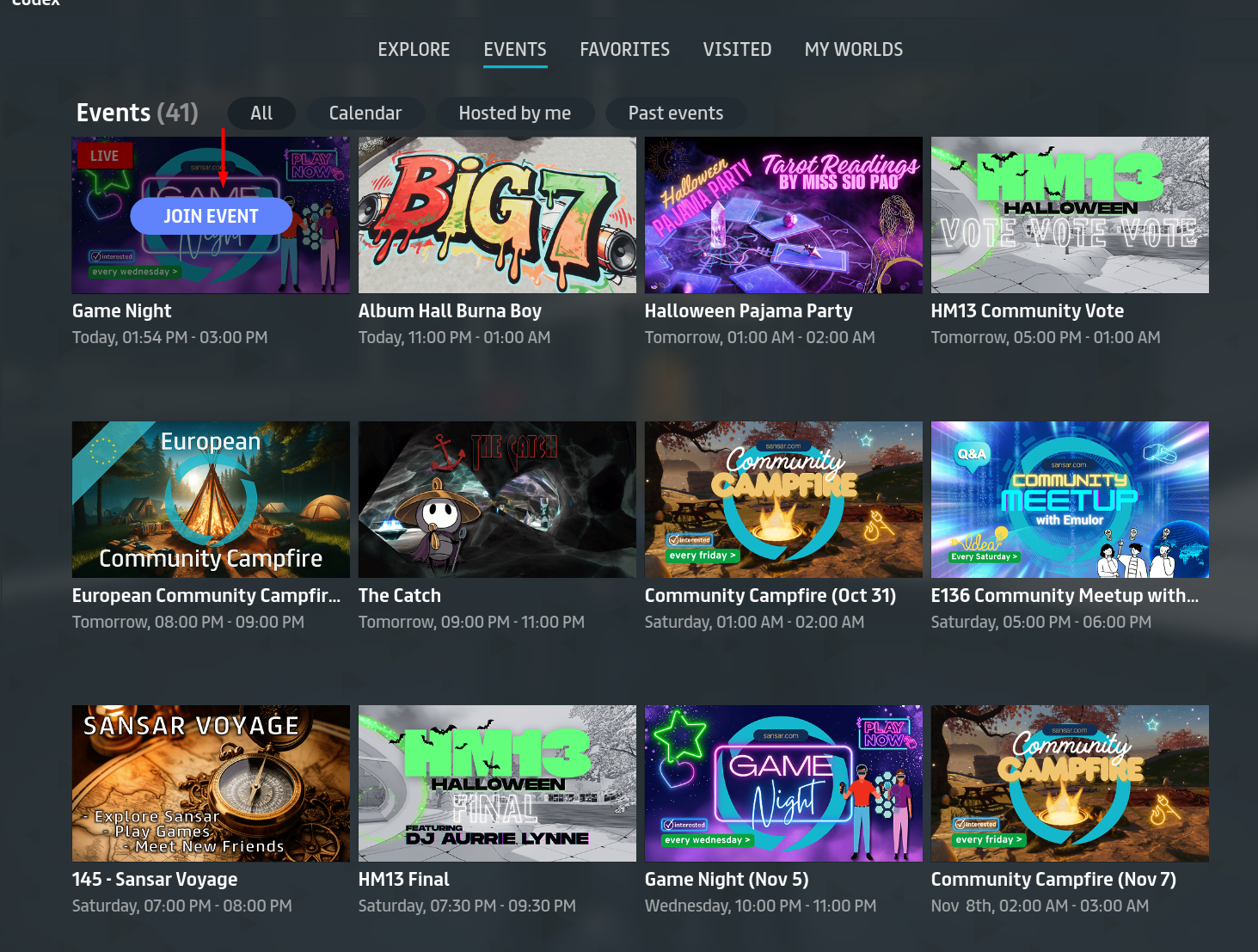
To visit an event that is currently live indicted by the red LIVE image, Hover over the event picture and click the **Join event** button that appears The **Join event** button only appears for events that are in progress or starting soon.
You can add an event to your personal calendar for later reference by clicking the **Interested** button that appears when you move your mouse cursor over the event image. For more information about adding events to your calendar, see [Adding events to your calendar](/latest/exploring-in-sansar/attending-events/adding-events-to-your-calendar.md).
For information about creating your own events, see [Creating your own events.](/latest/exploring-in-sansar/attending-events/creating-your-own-events.md)
## Finding and visiting events from the Sansar website
To check out an upcoming event on the Sansar website:
1. Visit the [Events page on the Sansar website](https://www.sansar.com/events) to view all upcoming events.
2. Click an event's thumbnail to view more details about the event.
3. (Optional) Click **Add to calendar** to add the event to your personal calendar. For more information about adding events to your calendar, see [Adding events to your calendar.](/latest/exploring-in-sansar/attending-events/adding-events-to-your-calendar.md)
4. Check the time of the event, and if you wish to visit the venue, click the **Location** link to visit the world where the event is held.
Click an upcoming event's image or title, then click Go Now link to visit the venue.
***
Have more questions? Join our [Discord!](https://discord.gg/sansarofficial)
---
# Agent Instructions
This documentation is published with GitBook. GitBook is the documentation platform designed so that both humans and AI agents can read, navigate, and reason over technical content effectively. Learn more at gitbook.com.
## Querying This Documentation
If you need additional information that is not directly available in this page, you can query the documentation dynamically by asking a question.
Perform an HTTP GET request on the current page URL with the `ask` query parameter, and the optional `goal` query parameter:
```
GET https://docs.sansar.com/latest/exploring-in-sansar/attending-events/attending-event-in-sansar.md?ask=&goal=
```
`ask` is the immediate question: it should be specific, self-contained, and written in natural language.
`goal` is optional and describes the broader end goal you are ultimately trying to accomplish on behalf of the user. GitBook uses it to tailor the answer towards what is most useful for that goal.
The response will contain a direct answer to the question and relevant excerpts and sources from the documentation.
Use this mechanism when the answer is not explicitly present in the current page, you need clarification or additional context, or you want to retrieve related documentation sections.