> For the complete documentation index, see [llms.txt](https://docs.sansar.com/latest/llms.txt). Markdown versions of documentation pages are available by appending `.md` to page URLs; this page is available as [Markdown](https://docs.sansar.com/latest/creating-in-sansar/shaders-and-materials/displacement-guides.md).
# Displacement Guides
### what is Displacement?
Displacement is a new addition in its early release (Oct 2023) it has been added to most of the [Sansar shaders](/latest/creating-in-sansar/shaders-and-materials/shaders-information.md) and has static and animated forms, it is not intended to replace Normal Map detail as assets would be too high poly for this to be effective, it is however able to manipulate mesh and create animations within the edit mode without the original upload files.
Please note, the displacement will move the existing vertices of the mesh according to the displacement map color, corresponding with the same vertex location on the UV map, but it will not create new vertices or the appearance of having more vertices, like pixel shaders do.
### How to use displacement
The sansar displacement shader can be used in multiple ways we have defined it with two methods, a simple method and a Advanced method
### Local and Tangent Space
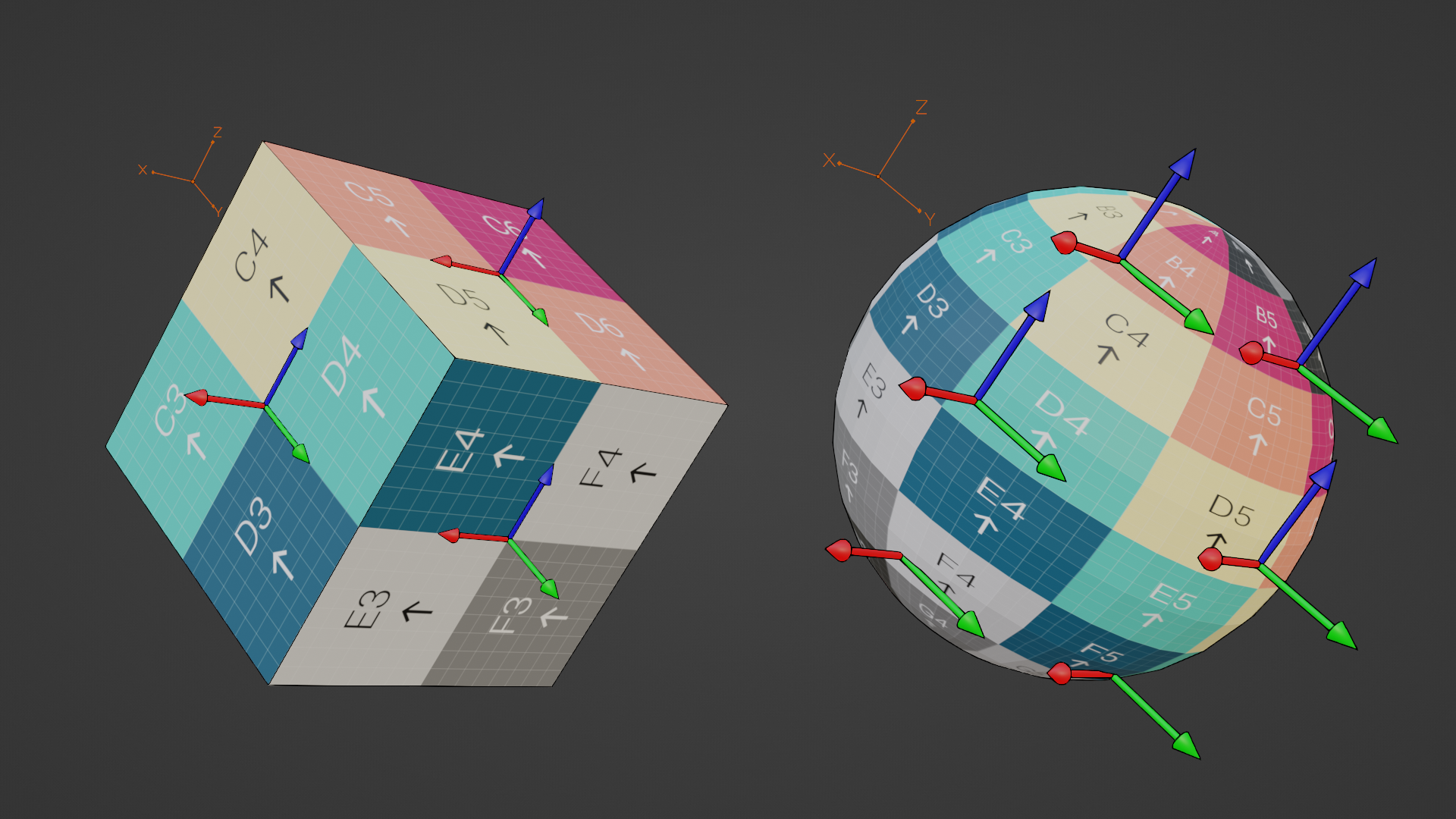
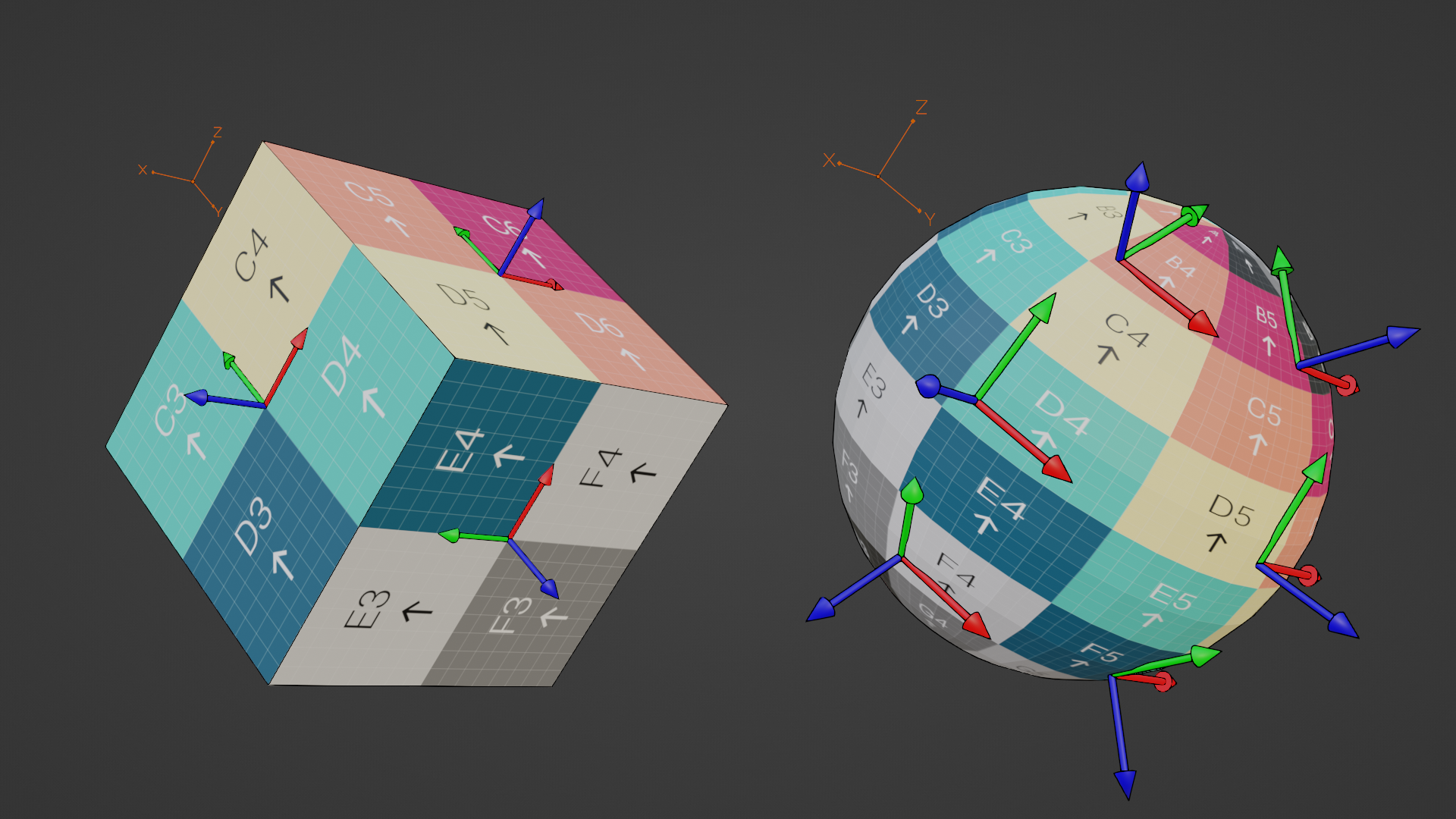
A checkbox on the Animated shaders allows the Displacement to affect the mesh differently.\\
**Local Object Space:** takes into account what the original model was exported with as its transform position (this can be different to what the sansar editor gizmo displays)
**UV Tangent Space:** takes into account the direction of the face normals of the model.
Local Object Space
UV Tangent Space
---
# Agent Instructions
This documentation is published with GitBook. GitBook is the documentation platform designed so that both humans and AI agents can read, navigate, and reason over technical content effectively. Learn more at gitbook.com.
## Querying This Documentation
If you need additional information that is not directly available in this page, you can query the documentation dynamically by asking a question.
Perform an HTTP GET request on the current page URL with the `ask` query parameter, and the optional `goal` query parameter:
```
GET https://docs.sansar.com/latest/creating-in-sansar/shaders-and-materials/displacement-guides.md?ask=&goal=
```
`ask` is the immediate question: it should be specific, self-contained, and written in natural language.
`goal` is optional and describes the broader end goal you are ultimately trying to accomplish on behalf of the user. GitBook uses it to tailor the answer towards what is most useful for that goal.
The response will contain a direct answer to the question and relevant excerpts and sources from the documentation.
Use this mechanism when the answer is not explicitly present in the current page, you need clarification or additional context, or you want to retrieve related documentation sections.