# Parenting objects

### Parenting objects

Parent objects are a way of organizing a group of objects in a scene such that they can be moved, rotated, and scaled as though they are one object. The parent object itself is not an actual object in the scene, but instead represents its collective child objects as a group.

### Creating a new parent object

To group one or more objects into a parent object while editing a scene:

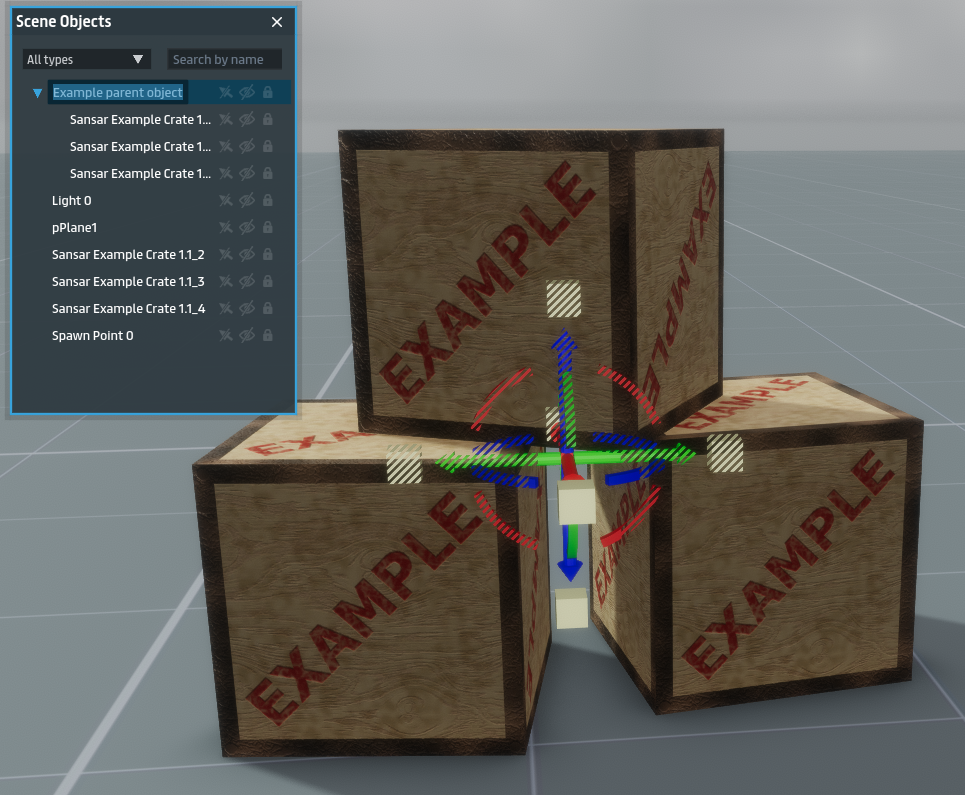
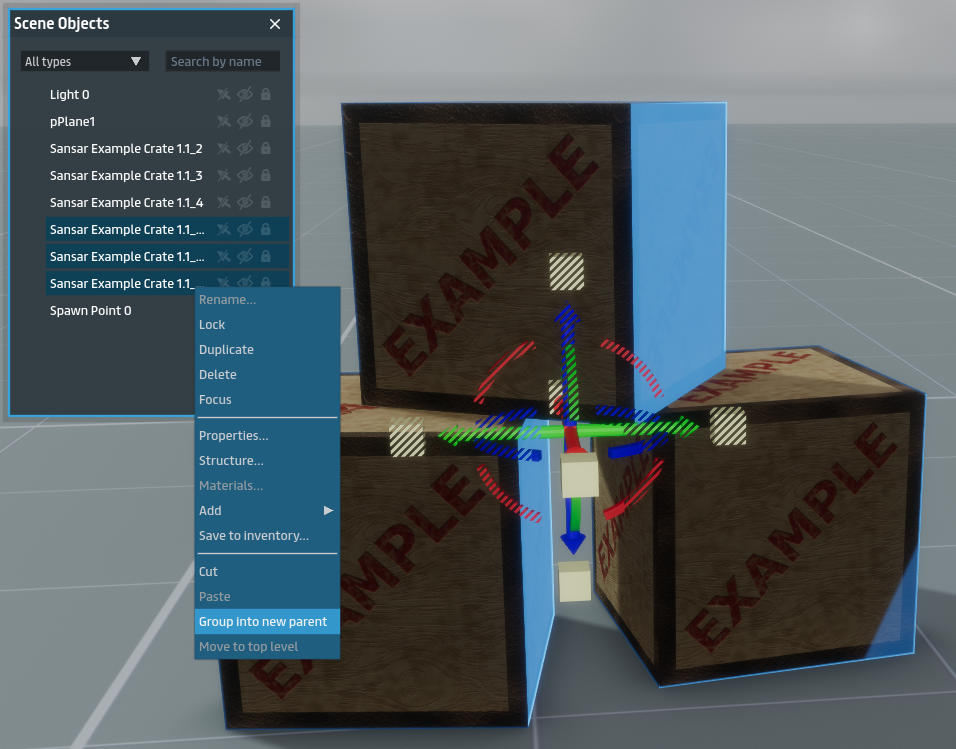
In the Scene Objects panel, select one or more objects (hold Ctrl to select or de-select multiple individual objects). Right-click one of the selected objects and choose Group into new parent. Enter a name for the new parent object. The child objects are grouped and indented under the parent object in the Scene Objects panel. You can move, rotate, and scale the entire group by selecting the parent object, or you can manipulate each object by selecting it individually.

<figure><img src="/files/b2yfGnCIWjMdqBC0kxci" alt="" width="375"><figcaption><p>Select multiple objects by holding Ctrl, then right-click one of them and choose Group into new parent.</p></figcaption></figure>

<figure><img src="/files/Wca4ueFNCdXUbTuRgCCm" alt="" width="375"><figcaption><p>Make sure to give your new parent object a meaningful name. The selected child objects are grouped under the parent object and indented for easy identification.</p></figcaption></figure>

### Removing objects from a parent object

To move a child object back out of a parent object, right-click it and choose Move to top level.

### Cut and paste

You can cut and paste objects between parent objects by selecting them and choosing Cut, then Paste on the destination parent. If you choose to cut a second time before pasting, the previous cut is canceled.


---

# Agent Instructions: Querying This Documentation

If you need additional information that is not directly available in this page, you can query the documentation dynamically by asking a question.

Perform an HTTP GET request on the current page URL with the `ask` query parameter:

```
GET https://docs.sansar.com/latest/creating-in-sansar/partoftheworldeditor/parenting-objects.md?ask=<question>
```

The question should be specific, self-contained, and written in natural language.
The response will contain a direct answer to the question and relevant excerpts and sources from the documentation.

Use this mechanism when the answer is not explicitly present in the current page, you need clarification or additional context, or you want to retrieve related documentation sections.