# Avatar Emotes

## Emotes overview

*Avatar emotes* are short, predefined animations that your avatar can perform in order to non-verbally express emotions and sentiments. Emotes are triggered by using the Emotes menu or Numbers 1 - 9 on your Keyboard

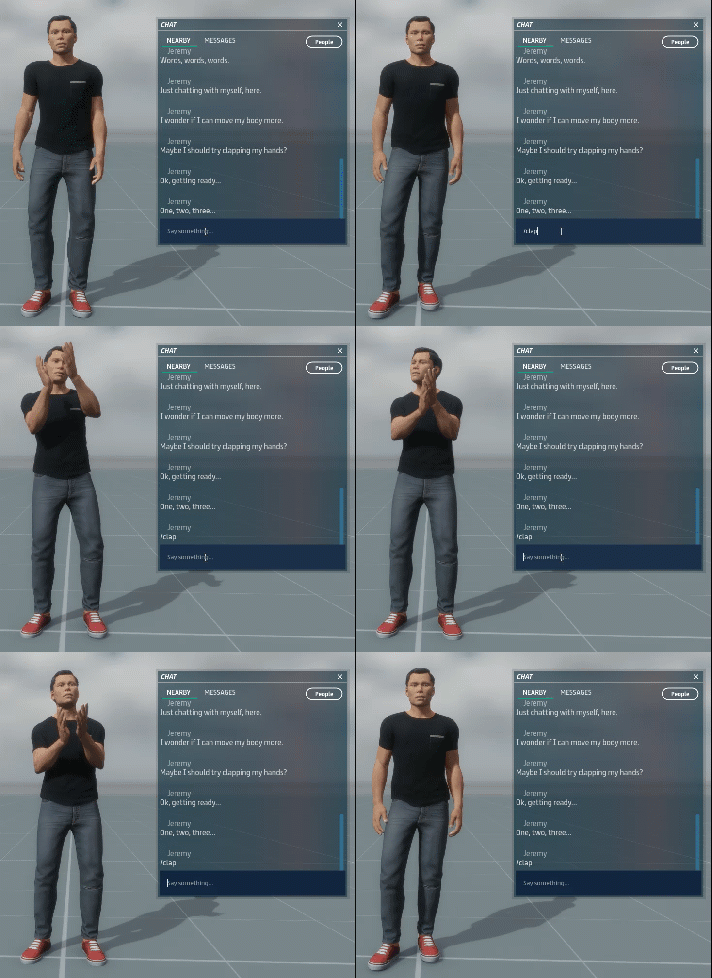
<figure><img src="https://1251409636-files.gitbook.io/~/files/v0/b/gitbook-x-prod.appspot.com/o/spaces%2FeFXiTZShM8YWMV94n1eV%2Fuploads%2Fgit-blob-a40da421e2e4adc676153ee4af7e4be40f8142bf%2Favatar-emotes-clapping-01.gif?alt=media" alt=""><figcaption><p>An avatar performing the <strong>/clap</strong> emote.</p></figcaption></figure>

***

## Emotes menu

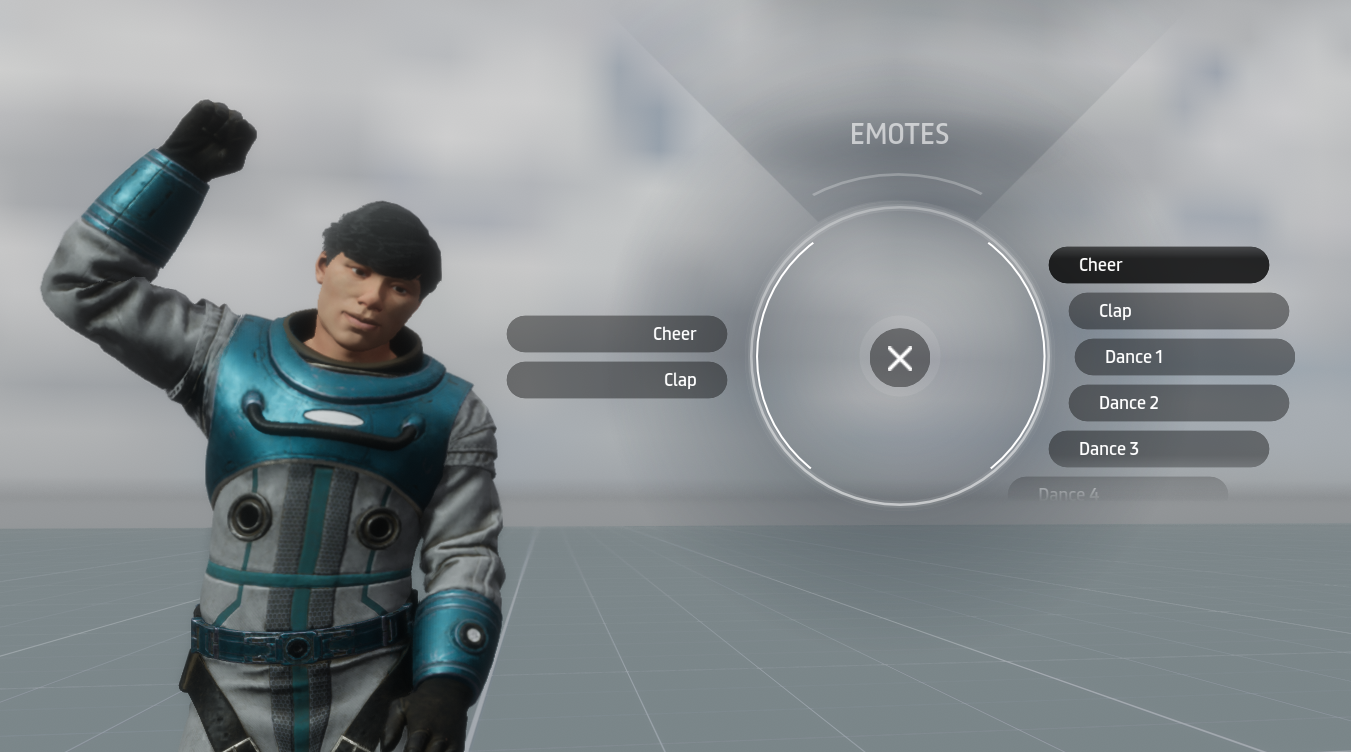
The Emotes menu allows you to choose from the list of available emotes rather than typing them into Nearby chat. To access the Emotes menu, choose **Socialize > Emotes** from the main menu, or press **Ctrl + E** on your keyboard while in an experience. To dismiss the Emotes menu, click the **X** in the corner of the menu.

<figure><img src="https://1251409636-files.gitbook.io/~/files/v0/b/gitbook-x-prod.appspot.com/o/spaces%2FeFXiTZShM8YWMV94n1eV%2Fuploads%2Fgit-blob-bfdd1e42a5b279c664b2c21bdea5aa9b9120a3f9%2Favatar-emotes-ui-02.png?alt=media" alt=""><figcaption><p>Access the Emotes menu by choosing <strong>Socialize > Emotes</strong> from the main menu or by pressing <strong>Ctrl + E</strong> while in an experience. Click an emote in the list to make your avatar perform the animation. To dismiss the Emotes menu, click the <strong>X</strong> in the center of the menu.</p></figcaption></figure>

***

## List of avatar emotes

Here is a list of avatar emotes that are currently available. Enter them in the [Chat panel](https://docs.sansar.com/latest/exploring-in-sansar/socializeandconnect/chat-panel) and press **Enter** to trigger them, or choose from the [Emotes menu](#emotes-menu) above. Each avatar emote falls under one of two avatar emote types:

* Upper body emotes
* Full body emotes

**Note:** It is possible to replace the animations played by these emotes with custom animations that you either import to Sansar or purchase from the Sansar Store. See [Overriding emotes with custom animation](https://docs.sansar.com/latest/avatar-creation/dressing-the-avatar/setting-custom-emotes) for more information.

Upper body emotes

Upper body emotes play for a short period of time when triggered while sitting. To play it again, you must trigger the emote again. Since these emotes are upper body in nature, it can be mixed with different movements on the lower half of the body. For example, the animation may be triggered while standing

To learn how to overwrite an avatar emote, see [Previewing and setting custom emotes](https://docs.sansar.com/latest/avatar-creation/dressing-the-avatar/setting-custom-emotes).

To learn how to import avatar emotes, see [Importing a custom emote animation](https://docs.sansar.com/latest/avatar-creation/managingavataritems/importing-custom-emote-animation).

***

Have more questions? Join our [Discord!](https://discord.gg/sansarofficial)